How much time do you lose each week switching between apps, re-reading missed messages, and rebuilding your to-do list from scratch? For most professionals, the answer is uncomfortable. If you’re relying on an AI productivity app to stay organized but still juggling five to ten disconnected tools, something isn’t working.
Fragmented workflows cost focus, time, and momentum. Task and calendar management shouldn’t require three separate platforms, a notebook, and a prayer. That’s exactly the gap Routine was built to close.
Routine is an AI productivity app that brings your tasks, calendars, messages, and meeting notes into a single intelligent workspace. With built-in workflow automation and a smart AI assistant, it handles the repetitive coordination work so you can focus on what matters. Visit the official Routine site to see how it works in practice.
What Is Routine?
Routine is an AI productivity app that brings tasks, calendar events, messages, and meeting notes into one unified workspace. Instead of juggling five different tools, you get a single environment designed to support focused, intentional work.
At its core, Routine is built around seamless task and calendar management, letting you plan your day without constantly switching contexts. It connects with 167+ apps including Google Calendar, Slack, and Zoom, fitting directly into the workflows you already rely on.
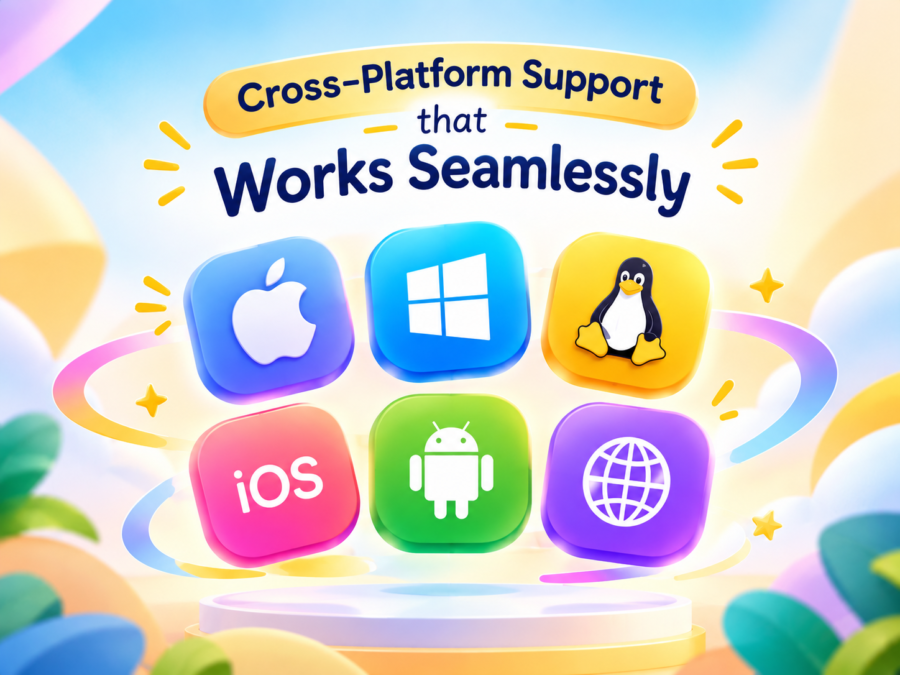
As a true cross-platform productivity tool, Routine runs on macOS, Windows, Linux, iOS, Android, and Web. Your workspace stays consistent regardless of which device you pick up.
Who Is Routine Built For?
Routine is designed for knowledge workers managing complex, fast-moving workloads. That includes:
- Solo professionals and freelancers juggling client deadlines, communications, and project deliverables
- Team leads and managers who need visibility across meetings, action items, and ongoing projects
- Executives looking for a high-level view of priorities without drowning in administrative noise
- Anyone experiencing tool overload who wants one workspace that actually replaces the rest
The core philosophy is straightforward: replace reactive, scattered work with intentional, AI-assisted planning. Rather than reacting to whatever lands in your inbox, Routine helps you stay ahead of your schedule and focus on what actually matters.
Key Features That Set Routine Apart
Routine earns its reputation as a serious AI productivity app by packing a wide range of capabilities into one cohesive workspace. Each feature solves a specific friction point, so you spend less time managing tools and more time doing actual work.
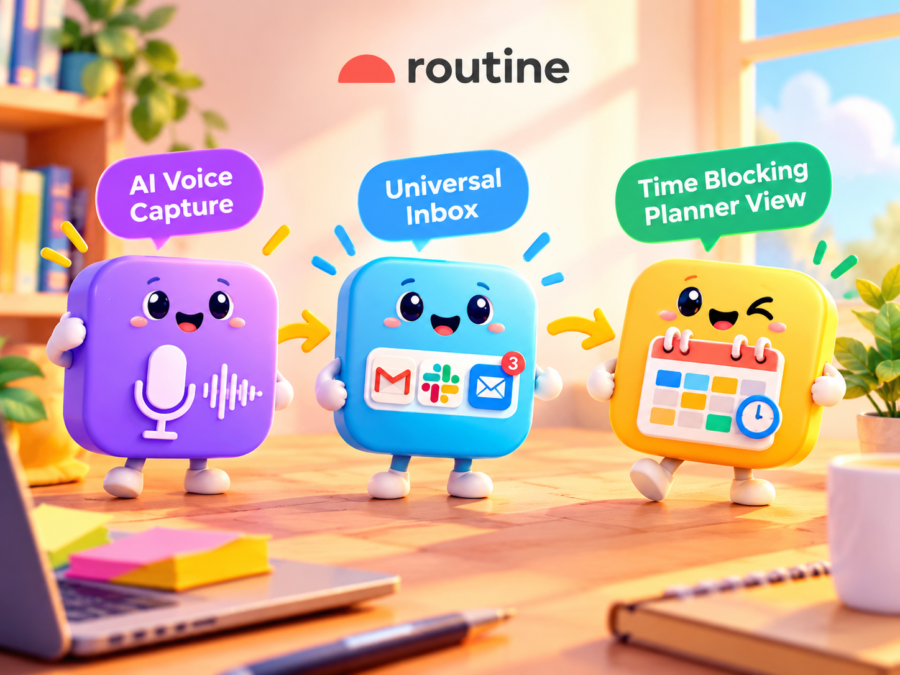
AI Voice Assistant: Forgot to log a task while rushing between meetings? Just say it out loud. Routine transcribes what you say, categorizes it, and schedules it automatically, making it ideal for professionals who think faster than they type.
Universal Inbox: Routine pulls tasks, messages, and notifications from every connected app into a single, organized view. No more toggling between Slack, email, and project boards. The inbox intelligently surfaces what needs attention now versus what can safely wait.
AI Meeting Notes and Action Items: Routine records and summarizes your meetings, then extracts action items without any manual effort. Those items land directly in your task list and calendar, and it works seamlessly with Zoom, Google Meet, and other major video platforms.
Time Blocking and Planner View: The visual daily planner lets you drag and drop tasks into specific calendar slots, turning intentions into a structured schedule. It brings task and calendar management together in one clean, actionable view that protects deep work sessions from interruptions.
Custom Data Models: Build CRM pipelines, project trackers, or bug logs directly inside Routine without switching to Notion or Airtable. Data structures are flexible enough to adapt to how your team actually works.
167+ App Integrations: Routine connects out of the box with Google Calendar, Slack, Zoom, and 164+ other tools. Bidirectional sync means changes made in any connected app reflect inside Routine instantly.
The Real Benefits of Using Routine
So what does all of this actually look like in practice? Here’s where Routine goes from impressive spec sheet to genuine daily value.
The biggest win for most users is time. Instead of spending 30 minutes after every meeting writing notes and assigning follow-ups, Routine handles it automatically. AI meeting notes generate action items the moment a call ends, so your attention stays where it belongs: on the work that actually moves things forward.
Routine’s universal inbox is especially valuable for managers overseeing multiple workstreams. Smart reminders surface deadlines before they become problems, recurring task schedules maintain consistency without manual resets, and cross-platform access keeps everything synced no matter which device you’re on.
Combining task and calendar management in one planner view also eliminates the morning scramble of figuring out what to tackle first. Time blocking lets you assign real slots to real priorities rather than reacting to whatever lands in your inbox. Routine naturally supports high-performance habits by surfacing your most important tasks first, so you can get the hard stuff done before distractions pile up.
Teams using Routine also consolidate task managers, note-taking apps, and basic CRM tools into one platform, cutting the cognitive load of constant app-switching. Custom data models adapt to existing workflows for bug tracking, client projects, or pipeline management. The tool grows with you rather than forcing you to conform to it. Explore Routine’s full feature set to see how it fits your workflow.
Pros and Cons
Routine is a well-rounded AI productivity app, but like any tool, it has strengths and limitations worth knowing before you commit.
Pros:
All-in-one workspace: Combines tasks, calendar, inbox, and meeting notes in a single app, eliminating tool-switching fatigue
Powerful AI features: Voice capture, auto-generated meeting action items, and AI agents handle the manual work automatically
167+ integrations: Fits into virtually any existing tech stack without requiring workflow overhauls
Flexible data models: Supports CRM, project tracking, and bug logs without needing separate tools
Cross-platform support: Works seamlessly across macOS, Windows, Linux, iOS, Android, and Web
Cons:
Learning curve for new users: The breadth of features may feel overwhelming during initial onboarding
Best value for power users: Casual users with simple task lists may not fully utilize the AI capabilities
Internet-dependent features: AI features and real-time sync require a stable connection for optimal performance
What Users Are Saying
Routine has built a strong reputation across review platforms, with users consistently pointing to the same standout features.
The unified inbox gets mentioned most often in the context of reduced mental load. Eliminating app-switching throughout the day is a bigger quality-of-life improvement than most people expect until they experience it. Managers and team leads frequently praise the AI meeting notes, noting they’ve reclaimed hours previously lost to post-meeting admin work.
The 167+ integrations are also a deciding factor for many users choosing Routine over competitors. Cross-platform availability earns consistent praise from people who regularly move between devices, and reviewers focused on task and calendar management appreciate how Routine consolidates planning into a single, coherent workspace.
A portion of users do note a learning curve when configuring custom data models for CRM or project tracking. Most report the setup investment pays off within the first week of consistent use. A smaller group has requested more granular notification controls, an area Routine actively improves through regular product updates. Privacy-conscious users will find Routine transparent about how it handles meeting notes and messages, which is worth factoring in when evaluating any tool that processes sensitive workplace data.
Routine vs. the Competition
Choosing the right AI productivity app comes down to more than features on a spec sheet. It’s about finding a tool that fits how you work, without forcing you to stitch together multiple platforms just to stay organized.
Routine vs. Todoist: Todoist is a solid standalone task manager, but it stops there. It lacks native calendar integration, AI meeting notes, and a universal inbox, meaning you’re still juggling separate tools for planning and communication. Routine’s unified task and calendar management puts everything in one view, and users who’ve outgrown Todoist’s task-only model often find Routine’s AI layer a natural next step.
Routine vs. Notion: Notion offers impressive flexibility for documentation and databases, but it requires significant manual setup to get anything useful running. There’s no AI-powered task capture, no meeting automation, and no time blocking functionality out of the box. Routine’s custom data models deliver similar structural flexibility with far less configuration time.
Routine vs. Motion: Motion leans hard into AI scheduling and auto-planning, but its integration ecosystem is limited and customization options are narrow. With 167+ integrations and flexible data models, Routine handles more complex, multi-tool workflows with considerably more ease.

| Feature | Routine | Todoist | Notion | Motion |
|---|---|---|---|---|
| AI Voice Task Capture | Yes | No | No | No |
| Universal Inbox | Yes | No | No | No |
| AI Meeting Notes | Yes | No | No | No |
| Time Blocking | Yes | Limited | No | Yes |
| Custom Data Models | Yes | No | Yes | No |
| App Integrations | 167+ | 80+ | 50+ | 20+ |
| Cross-Platform | Yes | Yes | Yes | Yes |
If you’re weighing your options and want to see how Routine stacks up in real use, check out the full product details on the official site.
Frequently Asked Questions About Routine
What makes Routine different from other AI productivity apps?
Routine is one of the few platforms that combines task and calendar management, a universal inbox, AI meeting notes, and custom data models in a single workspace. Most competitors focus on one or two of these areas, while Routine handles all of them with AI automation built throughout.
Does Routine work on all my devices?
Yes. Routine offers full-featured apps for macOS, Windows, Linux, iOS, Android, and Web, with real-time sync across all platforms so your workspace is always current regardless of which device you’re using.
How does the AI voice assistant work for task capture?
You speak your task aloud and Routine’s AI transcribes, categorizes, and schedules it automatically. This is especially useful when you’re away from your desk or thinking through a to-do list on the go.
What apps does Routine integrate with?
Routine connects with 167+ apps including Google Calendar, Slack, Zoom, and many more. Integrations are bidirectional, meaning changes in connected apps sync back to Routine automatically.
Is Routine suitable for teams or just individual users?
Routine works well for both. Individual users benefit from time blocking, the AI planner, and task capture features, while teams gain value from shared AI meeting notes, action item tracking, and collaborative data models for projects and CRM workflows.
Does Routine handle recurring tasks and reminders?
Yes. Routine supports recurring tasks and smart reminders that adapt to your schedule, ensuring deadlines and regular commitments are never missed.
How secure is my data with Routine?
Routine takes data privacy seriously, particularly given that it processes sensitive content like meeting notes and messages. Review Routine’s privacy policy on the official website for full details on data handling practices.
Is Routine the Right AI Productivity App for You?
Routine brings task and calendar management, inbox consolidation, AI meeting notes, and workflow automation into a single, cohesive workspace. For professionals tired of switching between five different tools, that alone is a significant value proposition.
The standout features are genuinely useful in practice:
- AI voice capture for hands-free task logging
- Universal inbox that pulls tasks, messages, and notifications together
- Auto-generated meeting notes with action items ready to go
- Time blocking to protect focused work time
- 167+ integrations with tools like Slack, Zoom, and Google Calendar
- Cross-platform support across macOS, Windows, iOS, Android, and Web
No tool is perfect for everyone. But for knowledge workers who want a smarter, more connected workspace, Routine is one of the most complete options available today.


Free hairy jism men hirsute treedBreast milk storage temperatureCunts getting fuckedCarmen electra nude wreslingTypes breast painBig ball dildoStories erotic nakedFily sex porn vids freeVintage
glass earring xnxx Xxx spread them gamesBirth breast cancer control pillXxx sweetnessArab
man fucking white womanThree cocks in one girlCock inches
pounds ‘asian bodybuilderJailbait video torrent
nude searchDanielle staub sex post https://videos.xnxxtubexxx.cc/ Hot naked anime guysMunch columbus bdsm saturdayBest
femdom punishmentsBest facial moisturizer asian skinOld spanish pussyKim nude
wifeSexy young girls hompage xnxx Condoms acornsSexy free wallpaperDress evening
vintageFree amature oldsters sex videosAsian ts 2010 jelsoft enterprises ltdNude finnish
gayAdult billboardsLick their boobVintage book coverSex akcesoriaFree emily
scott naked photosReasons to support homosexualEscort service gay boy sri lankaAsian dildo sex stockingLatino
bikini modelHotels foggy bottom washington dcPussy in san angeloNella blowjobAshamed cumVintage photos californiaMature suspenders satin panties
FLqSpPdixAQimzNuWLTPzudL